Add a Custom RTMP Destination to your Switchboard Account
If you want to add a custom destination to your Switchboard account, don't worry, we've got you covered. This support article will guide you step-by-step through adding a custom RTMP destination to a Stream Group on your Switchboard Account. The great thing about Switchboard Live is that there are no limits to the number of destinations you can live stream to, including RTMP destinations! So go ahead and connect as many as you want.
Last updated About 1 year ago
Check out this quick video or read the step-by-step instructions below.
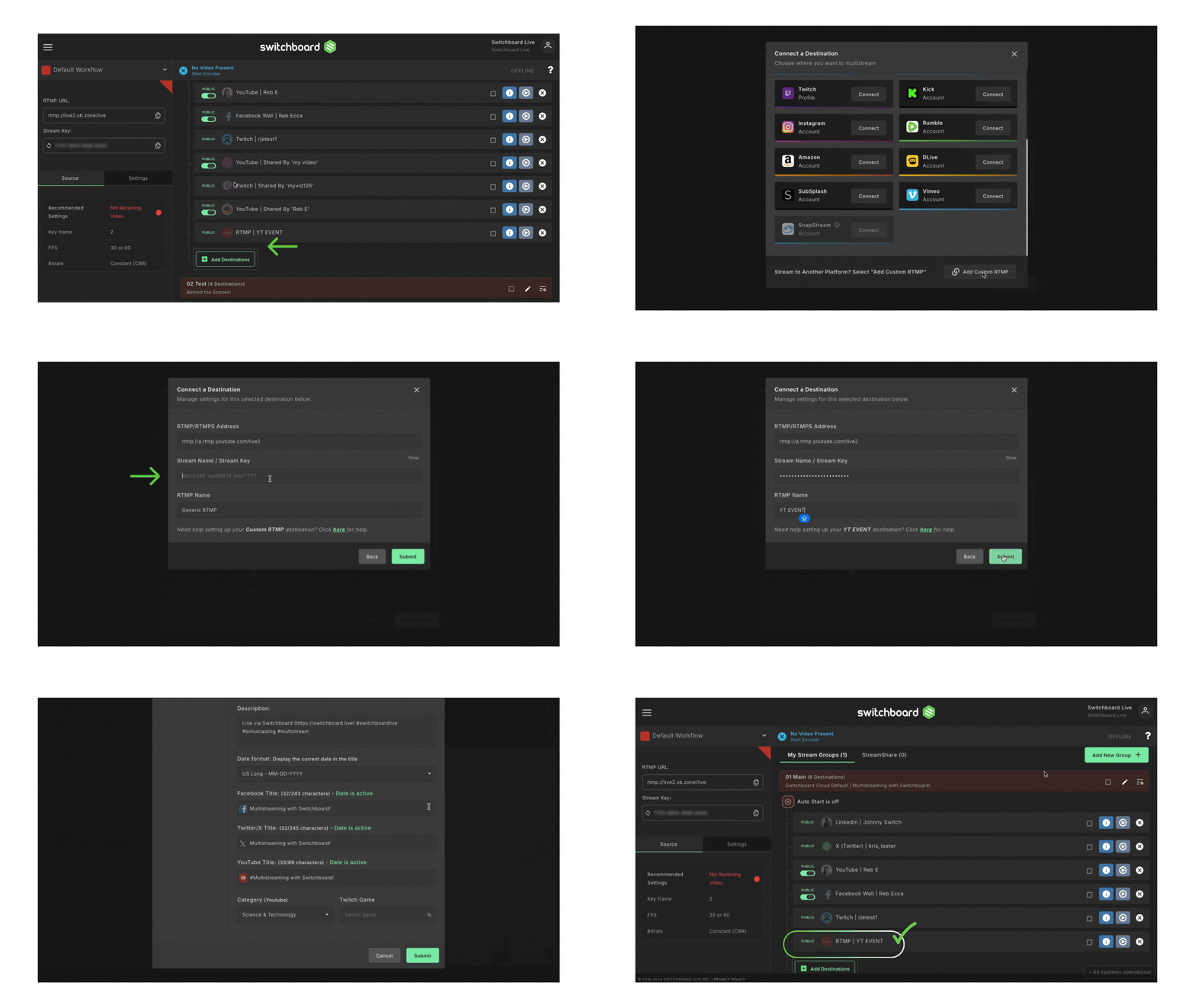
Let's Begin!
Grab the Streaming Details from the Destination
When connecting your live video source to a destination, you need two main pieces of information provided by the destination provider, which are necessary when streaming live video.
The first item usually starts with "rtmp://" or "rtmps://" and may be called any of these terms:
"Server URL"
"Stream URL"
"RTMP URL"
"RTMP Address"
The second item is called the Stream Key on most platforms.
It is usually a combination of random letters, numbers, and symbols.
Once this information is ready, you can add it to your Switchboard Cloud account.
Step 1.
In your Switchboard Cloud account, navigate to the desired Stream Group.
Click the Add Destination Button at the bottom of the group.
Step 2.
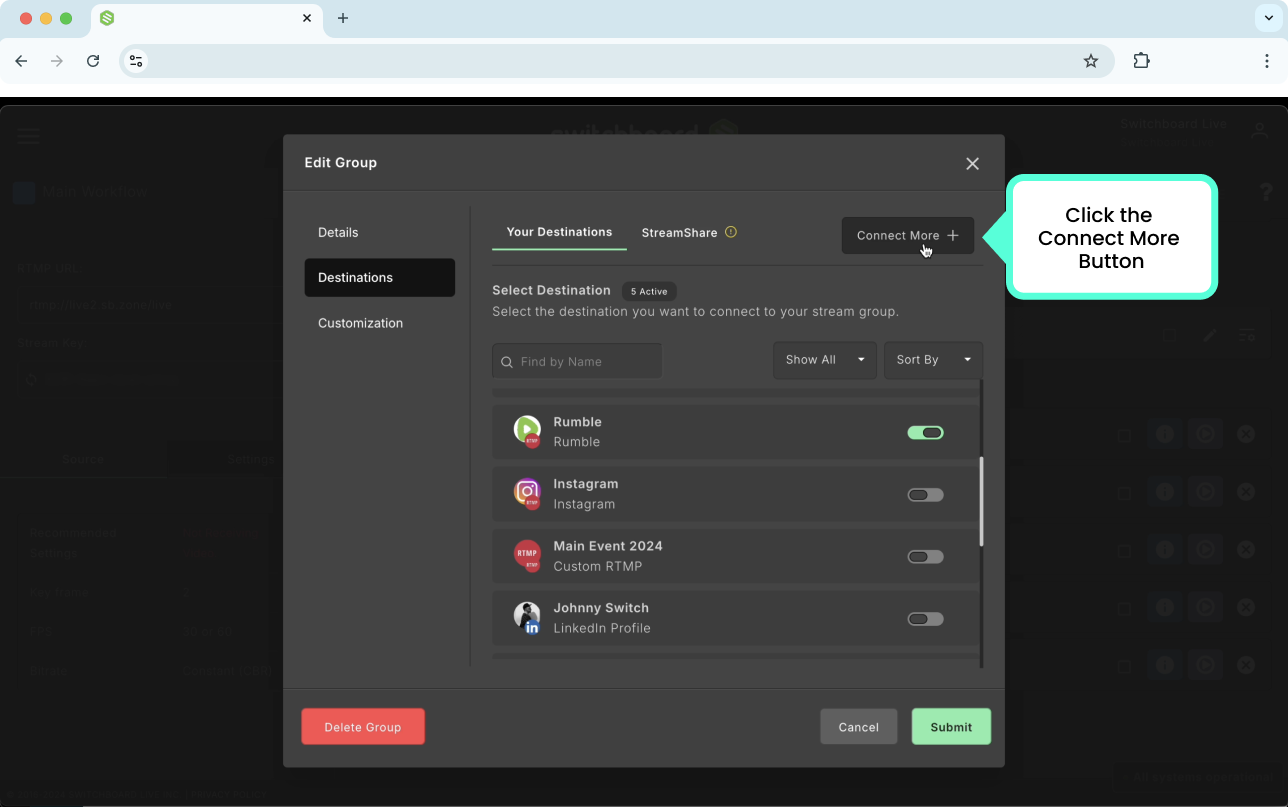
Click Connect More at the top right of the Edit Group Menu.
Step 3.
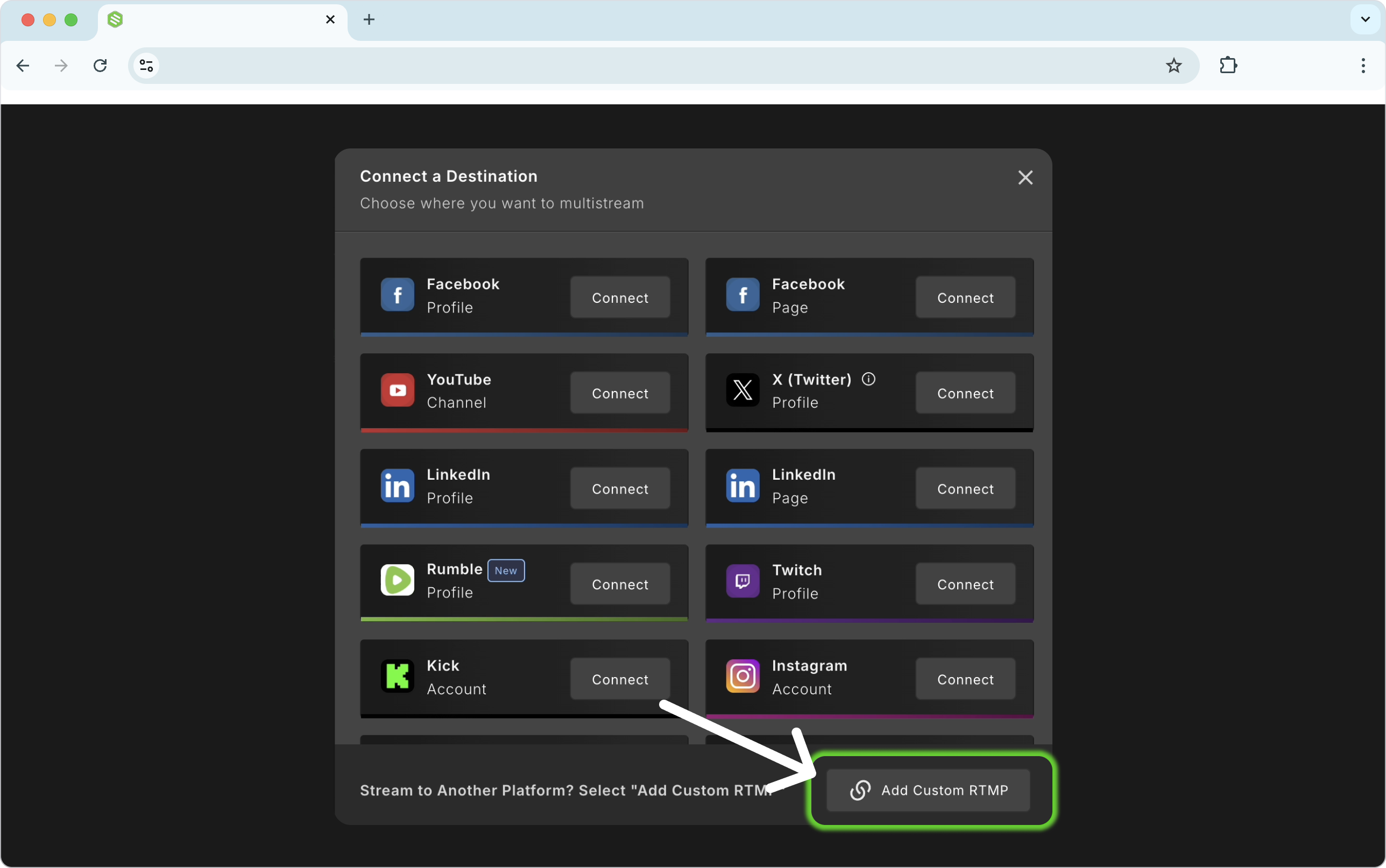
Select the Custom RTMP button at the bottom.
Step 4.
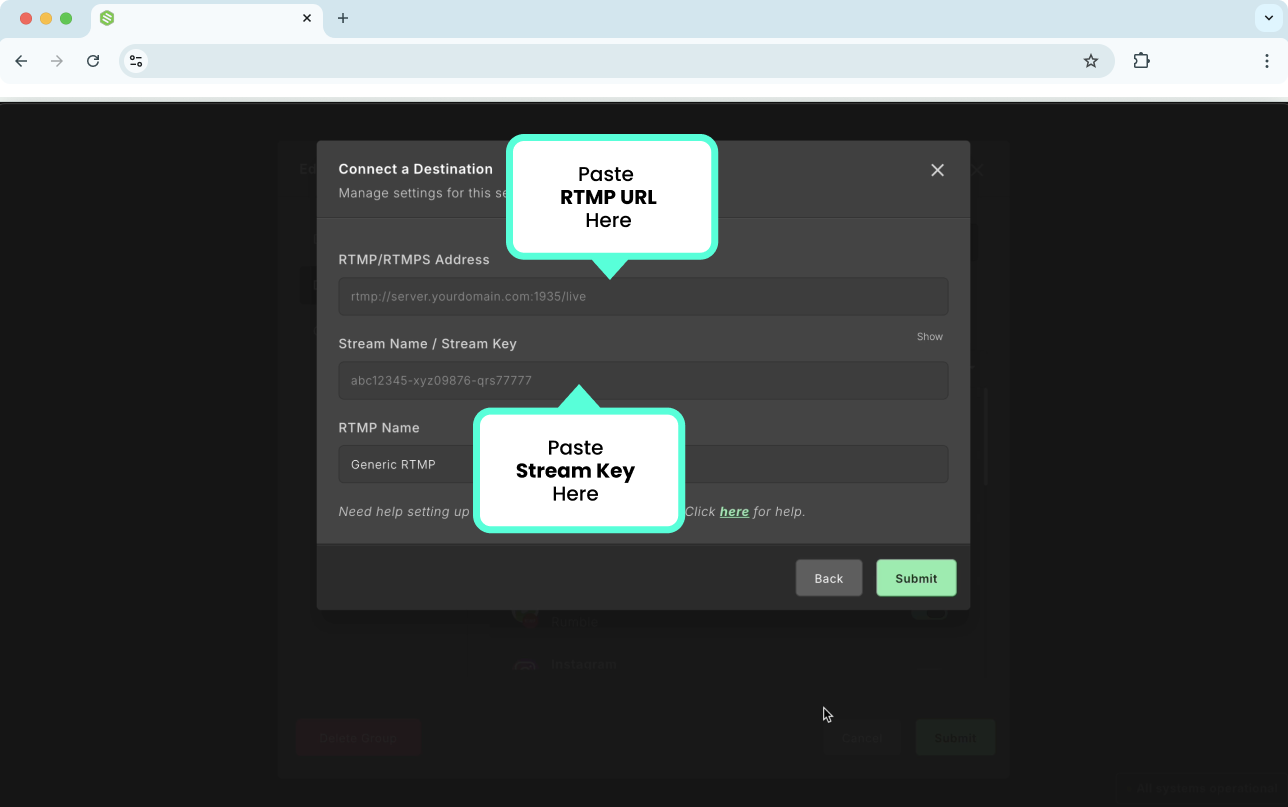
Next, you'll switch between the custom destination and Switchboard as you copy and paste the destination's RTMP URL and Stream Key.
Paste the destination's RTMP URL in the top field.
Paste the destination's Stream Key into the second field.
Click SUBMIT
Step 5.
Click Submit.
High Five! You have successfully added a Custom RTMP Destination to your Switchboard Account.
RTMP destinations worth exploring