Update Payment Method
Last updated Over 1 year ago
Switchboard offers simple solutions to managing your Subscriptions, like updating your payment method on file.
STEP 1
Main Menu top left.
STEP 2
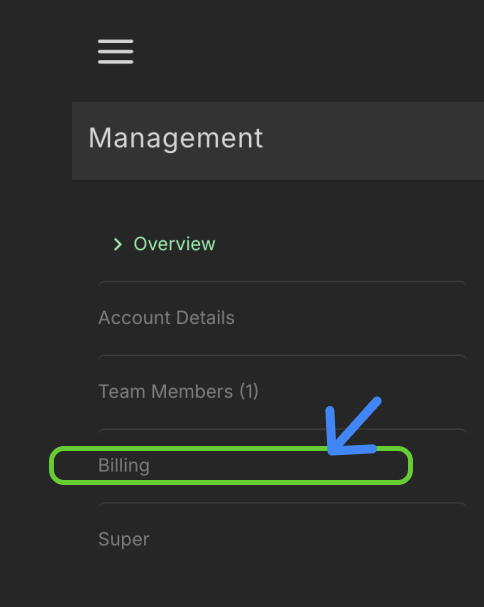
Select Management, then Billing.
STEP 3
A popup modal labeled Manage Subscriptions will appear.
To update the payment method on file, select the Payments Methods option.
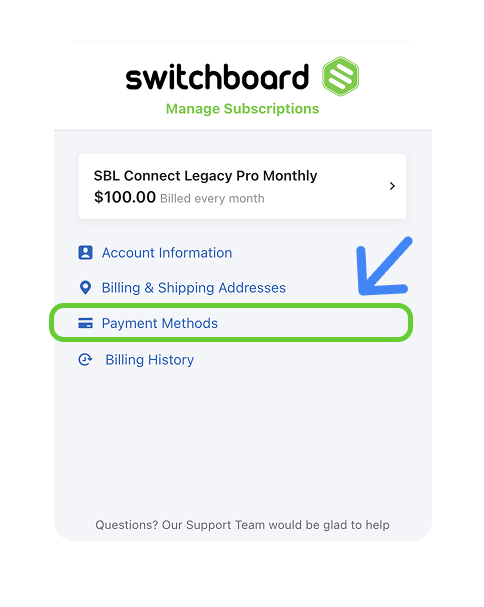
Select the Edit Payment Method Link.
STEP 4
Click the UPDATE button at the bottom to confirm your update.