Connecting Switchboard with DataVideo-NVS25
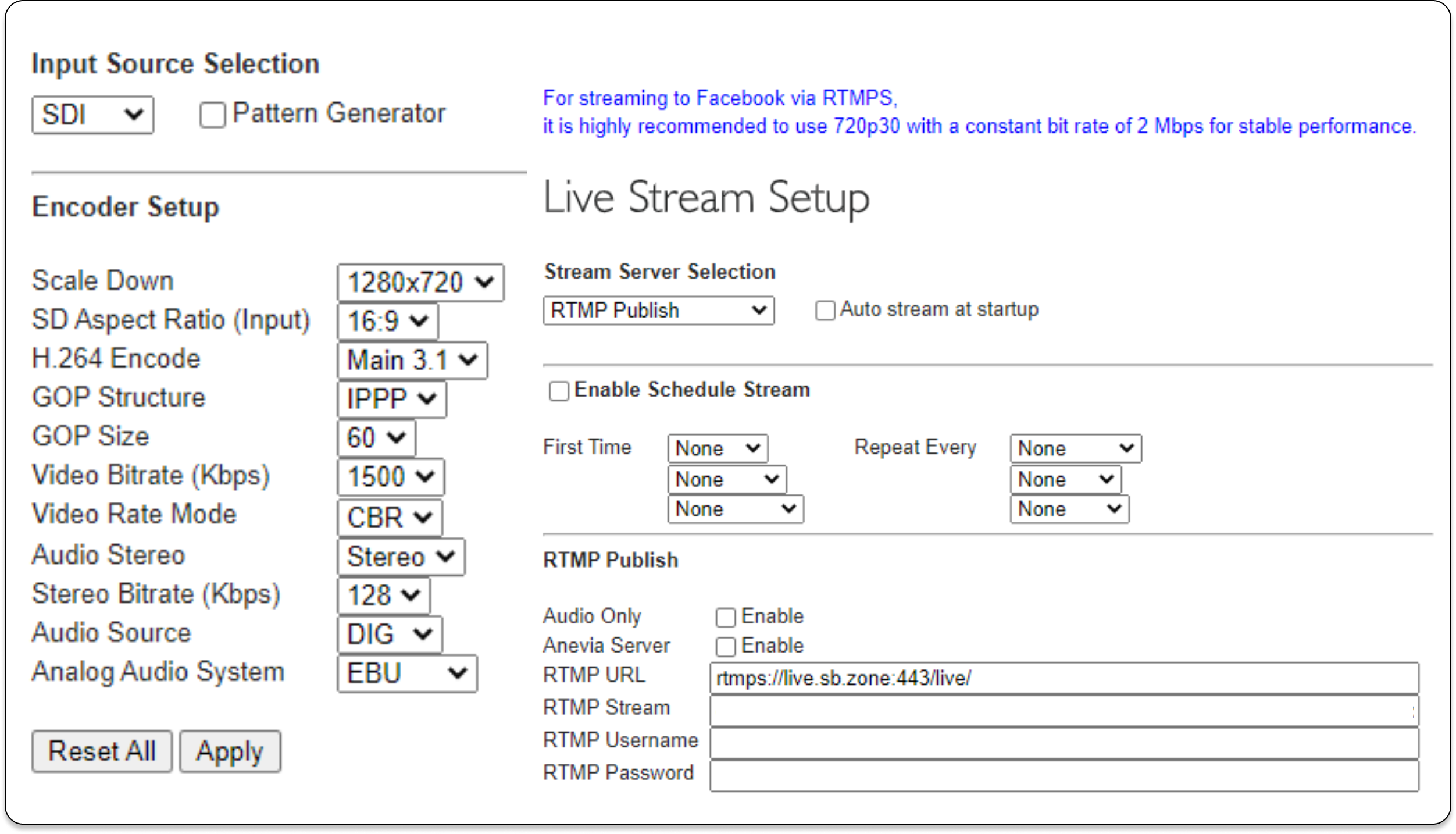
This support article will provide settings information on how to connect DataVideo-NVS25 with your Switchboard Account.
Last updated Over 1 year ago
Datavideo-NVS25 Encoder
To use Switchboard with Datavideo - NVS25, you will need to use the following streaming profile: 720p 30 fps GOP at 60 - 2000kbps video & audio 128.
These are the recommended settings via Datavideo when connecting to a rtmps:// based server with an NVS25 encoder.