Quickly check the live video on their Social Channel
Last updated Over 1 year ago
Where can I watch my live stream video on their specific destinations?
Inside your Switchboard Account, you can quickly view your live video stream on its destinations in one of two ways:
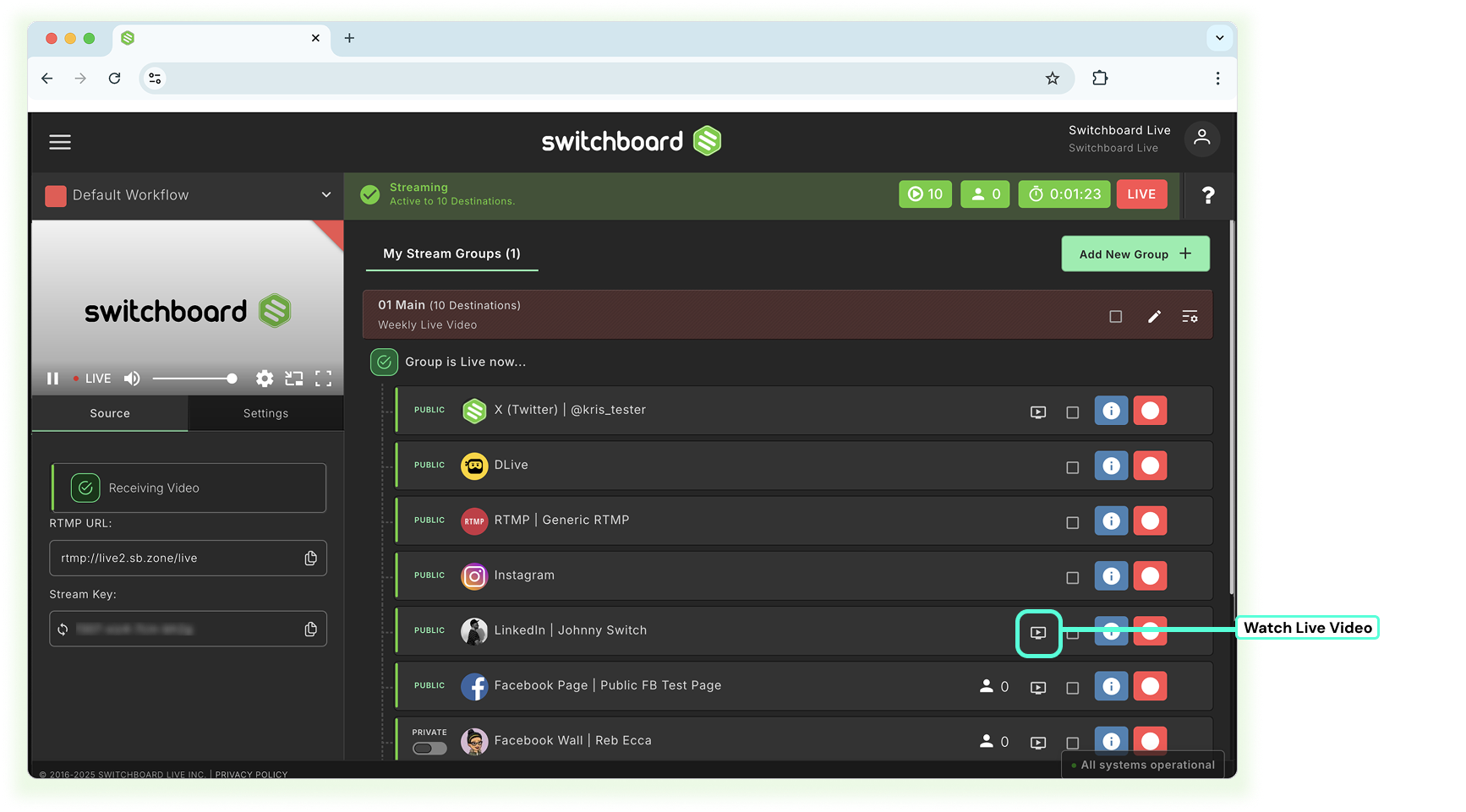
Method 1 | Watch Icon
Click the watch icon to open and view the live broadcast video on the social platform.
Method 2 | Access Destination information
Click the blue info button.
Click broadcast info.
Click on the link to view and share.